Client Data Hub
Guidance Notes
How the Client Data Hub works
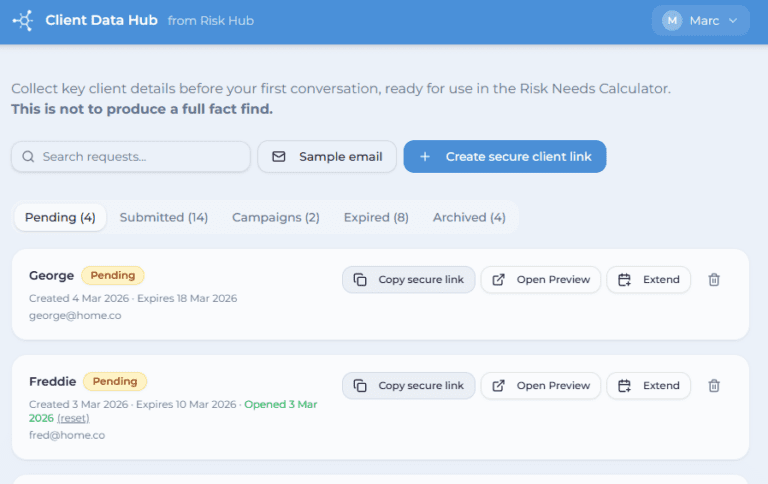
The Client Data Hub is designed to make it easy to collect key client details before or around your first conversation, without turning it into a full fact find.
Step 1 – Create a secure client link
Create a unique, secure link for your client directly from your dashboard.
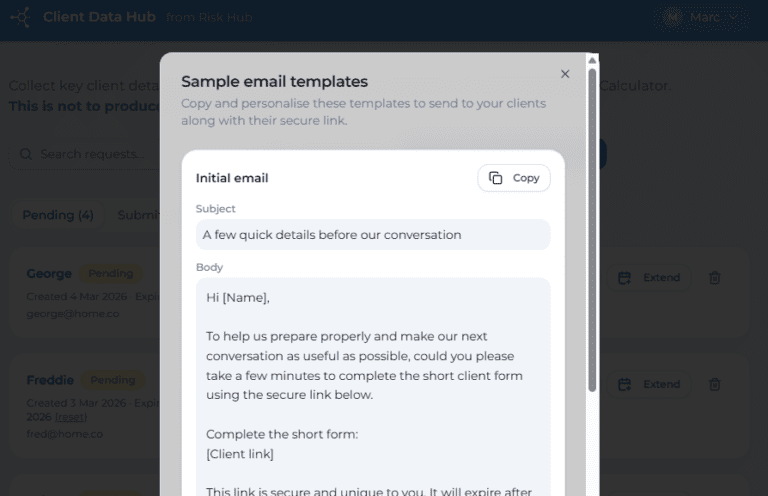
You can send this link to the client ahead of your meeting, or ask them to complete it shortly afterwards. Each link is time-limited and tied to that specific client.
- [update] We now have a campaign link option – which can be reused multiple times, useful for campaigns or templates.
Step 2 – Client completes the form
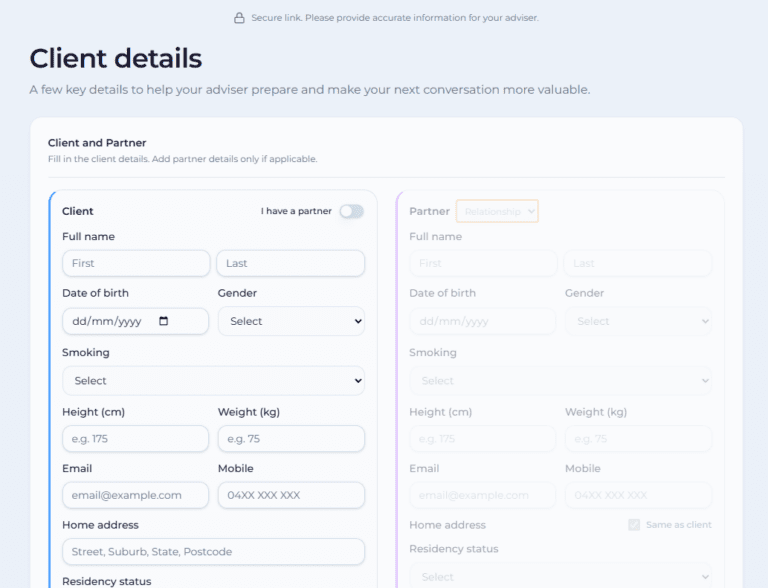
Your client completes a short, guided form covering:
basic personal details
dependants (if relevant)
high-level assets and liabilities
existing insurance and superannuation
- Basic or more detailed health questions
The form is designed to be quick and approachable, focusing only on core information.
Step 3 – Review submissions in your dashboard
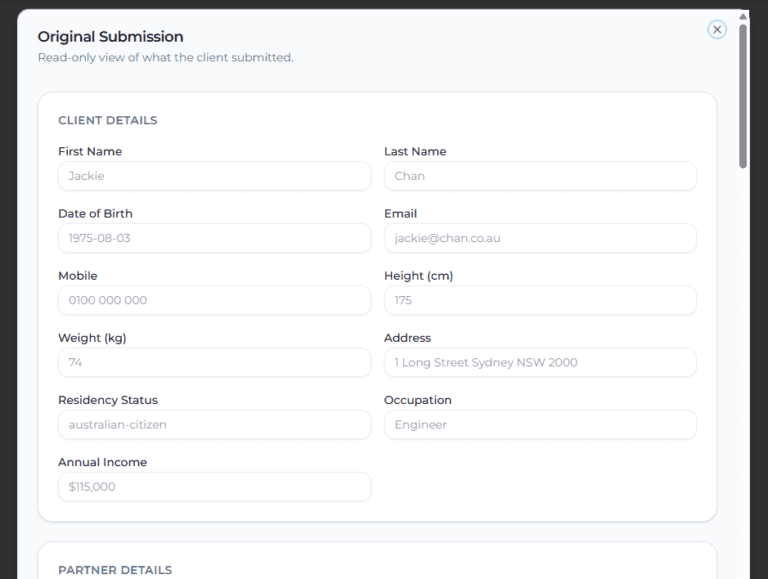
Once submitted, you’ll see the completed request in your dashboard.
From here you can:
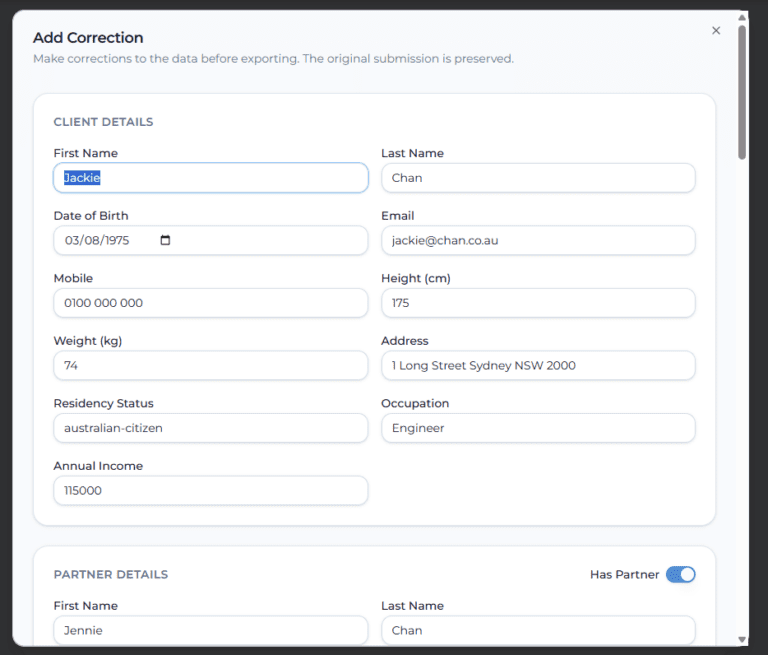
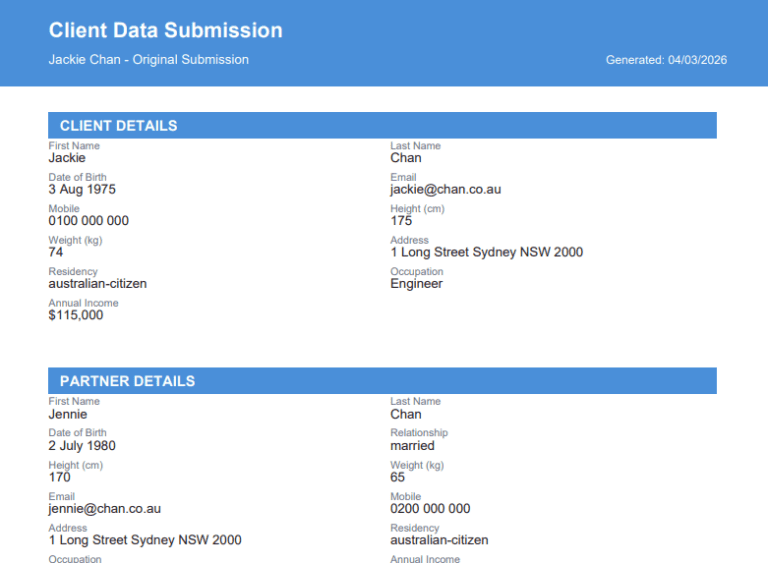
review the original submission
make small corrections if needed
export the data in different formats
Step 4 – Use the data in your advice process
The collected information can then be used to:
support your initial advice conversations
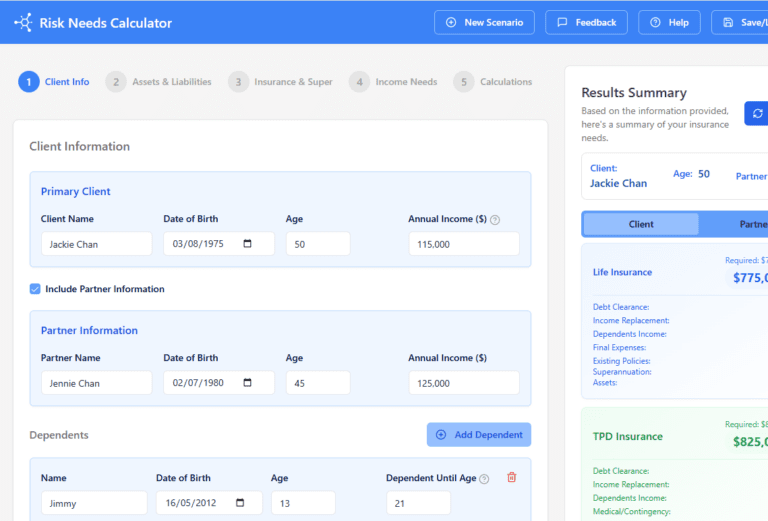
create a new Risk Needs Calculator scenario by exporting the JSON data file
save or share a PDF summary where helpful
feed into your broader advice workflow as a starting point
The exported JSON is structured to work cleanly with the Risk Needs Calculator, allowing your House View and adviser judgement to apply.
Designed to save time – and evolving
The Client Data Hub is intentionally lightweight. It’s not about capturing everything upfront, but about reducing friction and re-keying early in the advice process.
This tool will continue to evolve over time, with a focus on:
saving adviser time
improving data flow into needs calculations
supporting better client conversations
Feedback and real-world use will shape how it develops from here.
Want to know more?
Send us a message at info@riskhub.com.au